Most business owners know what a logo is. Fewer know why a printer, sign shop, or web designer keeps asking for the vector version instead of the file pulled from a website.
The answer is simple: not all logo files are created equal.
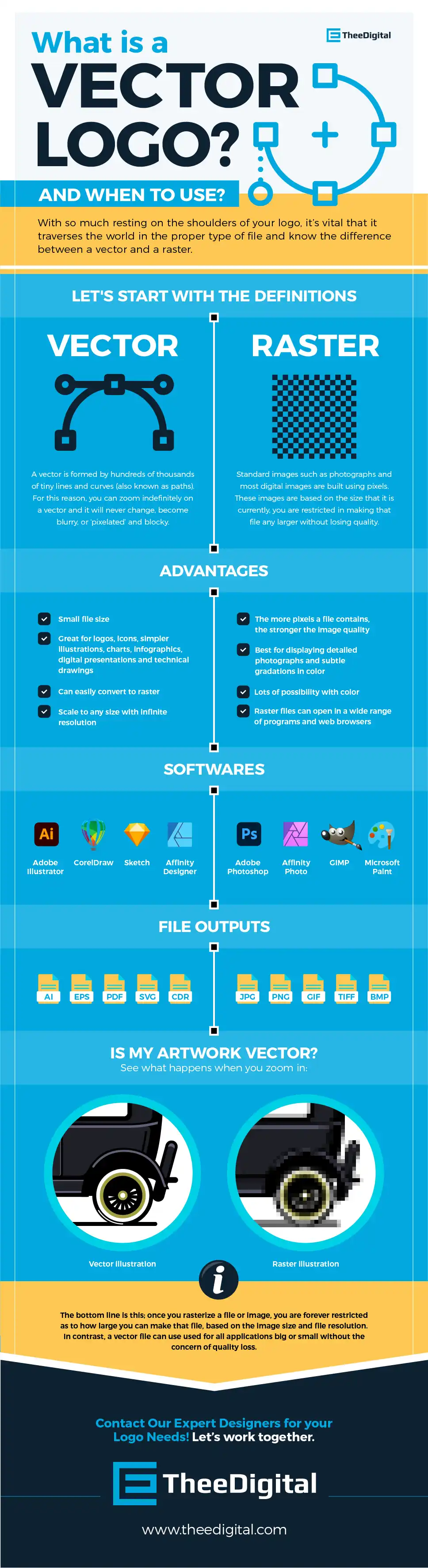
Take a look at the logo below. You can easily see the crisp, clear lines on the Vector version (SVG) vs. the fuzziness of the Raster version (JPG). This is why your web designer is always asking for a different file type. Nobody wants their logo looking like this!
A vector logo can be resized to virtually any size without losing quality, making it the version every business should keep on hand.
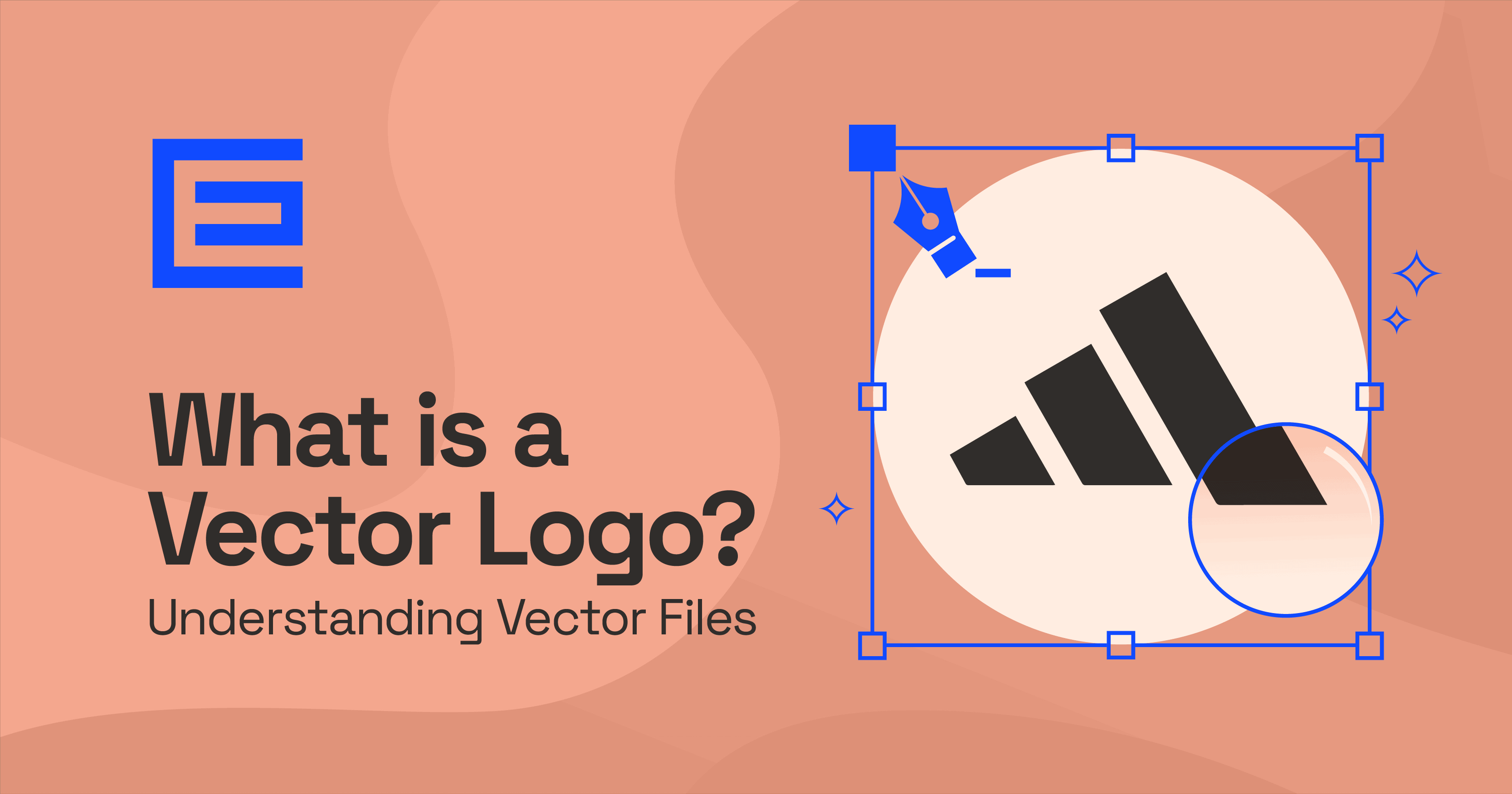
What Makes a Logo Vector?
Unlike a JPG or PNG, a vector logo isn’t made of pixels. It’s built from mathematical paths that define every line, curve, and shape.
That means the artwork can be scaled from a tiny website favicon to a billboard without becoming blurry or pixelated. The software simply redraws the artwork at whatever size is needed.
For most businesses, that’s essential. The same logo may appear on a website, business card, embroidered polo, vehicle wrap, storefront sign, social media profile, and trade show banner. Maintaining one master vector file ensures every version starts from the highest-quality source.
Raster vs. Vector
Raster images are made from pixels. Every photo you take with your phone is raster. They work well for photographs and detailed images but lose quality when enlarged beyond their original size.
Vector graphics work differently. Because they’re based on paths instead of pixels, they don’t have a fixed resolution. That’s why logos, icons, and illustrations are almost always created as vectors, while photographs remain raster images.
A simple rule of thumb:
Use vector for:
- Logos
- Icons
- Illustrations
- Text-based graphics
Use raster for:
- Photography
- Product images
- Images with complex textures or gradients
Most businesses end up using both throughout their marketing.
Common Vector File Types
You’ll likely run into these formats most often:
SVG is the standard for websites. It stays sharp on every screen size, loads quickly, and is supported by every modern browser.
AI is Adobe Illustrator’s native format. Think of it as the master working file your designer should provide when the project is complete.
EPS has been around for decades and is still widely accepted by printers, sign companies, and promotional product vendors.
PDF can contain vector artwork as well, making it a convenient format for sharing logos with clients, printers, or vendors who don’t use professional design software.
One thing that often causes confusion: opening a vector file isn’t the same as editing it. You can view an SVG or PDF in many applications, but changing the artwork still requires vector editing software like Adobe Illustrator, Affinity Designer, Inkscape, or Figma.
How AI Has Changed Vector Logo Creation
AI has changed the beginning of the design process far more than the end.
Just a few years ago, AI logo generators produced low-resolution raster images with distorted text and inconsistent geometry. If someone wanted a usable logo, a designer still had to recreate it manually in Illustrator.
That’s changing.
Today’s AI tools generate much cleaner concepts, and a few platforms can even export true vector graphics. That removes a step from the workflow, but it doesn’t eliminate the need for design expertise.
A production-ready logo still needs to work at very small sizes, reproduce accurately in print, and avoid similarities to existing trademarks. Those are decisions AI can’t reliably make on its own.
For many designers, AI has become an idea-generation tool rather than a replacement. It speeds up concept exploration while the final logo is still refined and delivered as a professionally built vector file.
Why Vector Logos Matter
Most customers won’t know whether your logo is vector or raster… and they shouldn’t have to.
What they will notice is when a logo looks fuzzy on a sign, pixelated on marketing materials, or inconsistent from one platform to another.
A vector logo prevents those problems.
Because it’s infinitely scalable, the same artwork can be used everywhere without recreating the logo or hunting down different versions. It also makes future updates easier, whether you’re changing colors, simplifying the design, or creating seasonal variations.
Where You’ll Use a Vector Logo
A single vector master file can be exported into nearly every format you’ll need.
For digital use, it can become an SVG for a website or a PNG for social media.
For print, it can be supplied as an EPS or PDF for business cards, brochures, packaging, banners, and signage.
Developers, printers, marketers, and promotional product companies all have different file requirements, but they all start with the same vector artwork.
FAQs
What is the difference between vector and raster logos?
Vector logos are built from mathematical paths, allowing them to scale to any size without losing quality. Raster logos are made of pixels and become blurry or pixelated when enlarged.
Why are vector logos preferred?
Because they’re flexible. One vector file can be used almost anywhere, whether it’s printed on a pen or displayed on a billboard. They’re also much easier to edit when your branding evolves.
Can vector logos be converted to other formats?
Yes. A vector file can be exported as PNG, JPG, PDF, SVG, and several other formats. Once it’s converted into a raster image, though, it loses the ability to scale indefinitely.
Can AI create a usable vector logo?
Sometimes. Some AI tools now generate true vector artwork, while others still produce raster images that need to be recreated or traced. Even with vector output, most businesses benefit from having a designer refine the logo before it’s used professionally.
Why doesn’t a vector logo lose quality?
Because the artwork isn’t tied to pixels. Every shape is defined mathematically, allowing design software to redraw it perfectly at virtually any size.
Contact Our Expert Designers for your Logo Needs!
Let’s work together. Call 919-341-8901 for a free consultation or go ahead and fill out our inquiry form. One of our marketing experts will contact you shortly.
Tags: Questions & Answers

Melissa Read
Melissa is Lead Project Manager at TheeDigital with over 25 years of eCommerce, web design and project management skills, along with design, development and copywriting. See all posts written by Melissa.